
Bookmarks or CSV
Import up to 500 labels and their 1-based destination pages. Choose case-sensitive or case-insensitive matching.
A product by Kastovia Holdings LLC · Chrome
 PDF Reference Linker
Turn repeated “Appendix B” or “Exhibit A” references into clickable page links without drawing each link by hand. Map each label once, review its matches, and export a separate linked PDF. Your source PDF stays on your device.
Preview your own PDF and export the match report free. When the preview is correct, Pro unlocks linked-PDF export for €9 once, tax included, on up to three browser installations. Paste the emailed license key into the extension.Check your PDF first. Selectable, exact whole-word references on one visual line; one unsigned, unencrypted, non-XFA PDF. Up to 50 MiB / 500 pages, subject to scan-work limits. Map physical PDF pages starting at 1. No OCR. Compatibility details.
Synthetic before / after
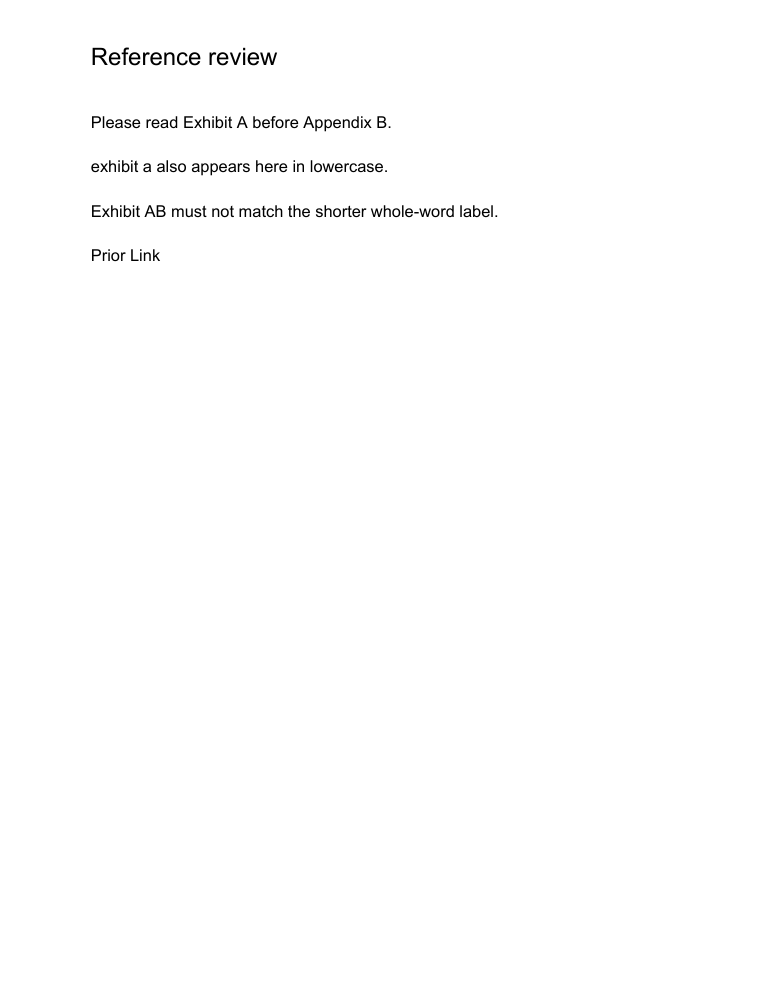
In the linked sample, click Appendix B on page 1 to open page 3, or Exhibit A to open page 2. Three new links; the existing link is preserved.
Non-sensitive sample, with exact positions from the published fixture and links written by the product’s export engine. No customer document or testimonial.Enter mappings manually, use existing internal bookmarks, or import a CSV with label and target_page columns. The extension finds exact whole-word labels in selectable text on one visual line and shows the source page, matched text, and destination before anything is written. Destination numbers are physical PDF positions starting at 1, even when printed page labels differ.
Import up to 500 labels and their 1-based destination pages. Choose case-sensitive or case-insensitive matching.
Inspect up to 10,000 matches, jump to the source and target pages, and deselect false positives.
Pro writes standard internal click links to a downloaded copy. The original file is never overwritten.
Try the workflow with the three-page sample PDF and sample mapping CSV, then follow the step-by-step internal-link guide ↗.
Launch scope
The preview and match report are free. A Pro license unlocks the linked-PDF export after an online license check.
Unsigned, unencrypted PDFs with selectable text, up to 50 MiB and 500 pages. Dense documents and large label sets can reach the browser’s scan-work limit before these file or page ceilings; see support for the exact resource limits.
Import, scan, inspect, deselect, and download the CSV match report without a license.
EUR 9 once, tax included, with no recurring fee for version 1 and no license expiry.
Activate up to three browser installations. Each paid export needs an online license check; previews continue offline.
PDF text extraction, mapping, match review, report generation, and linked-copy creation run in the extension. PDF contents, filenames, mapping labels, and target pages are not sent to Kastovia, Dodo Payments, Google, or an AI service.
Licensing, checkout, and optional usage analytics use the internet. Analytics is off by default and excludes document data. The extension does not include OCR and cannot match text that exists only in scanned images.
Before you link
No. PDF reading, matching, review, report generation, and linked-copy creation run locally in the extension.
You can import mappings, scan, review every match, deselect results, and download the CSV match report for free. Pro is required only to export the linked PDF.
Map each label once by importing bookmarks or CSV, or by entering it manually. The extension finds repeated exact whole-word matches and lets you review every source and target before export.
Available now
Install from the Chrome Web Store, open the extension to preview your matches for free, then buy Pro for €9 once if you need the linked-PDF export. Dodo emails your license key; paste it into the extension to activate up to three browser installations.