Scan or paste
Choose a screenshot of the upload requirements or paste the rejection text.
The photo utility built for real upload limits
Detect pixels, KB or MB, format and DPI from the upload rules, apply them, then verify the actual result—entirely on your device.
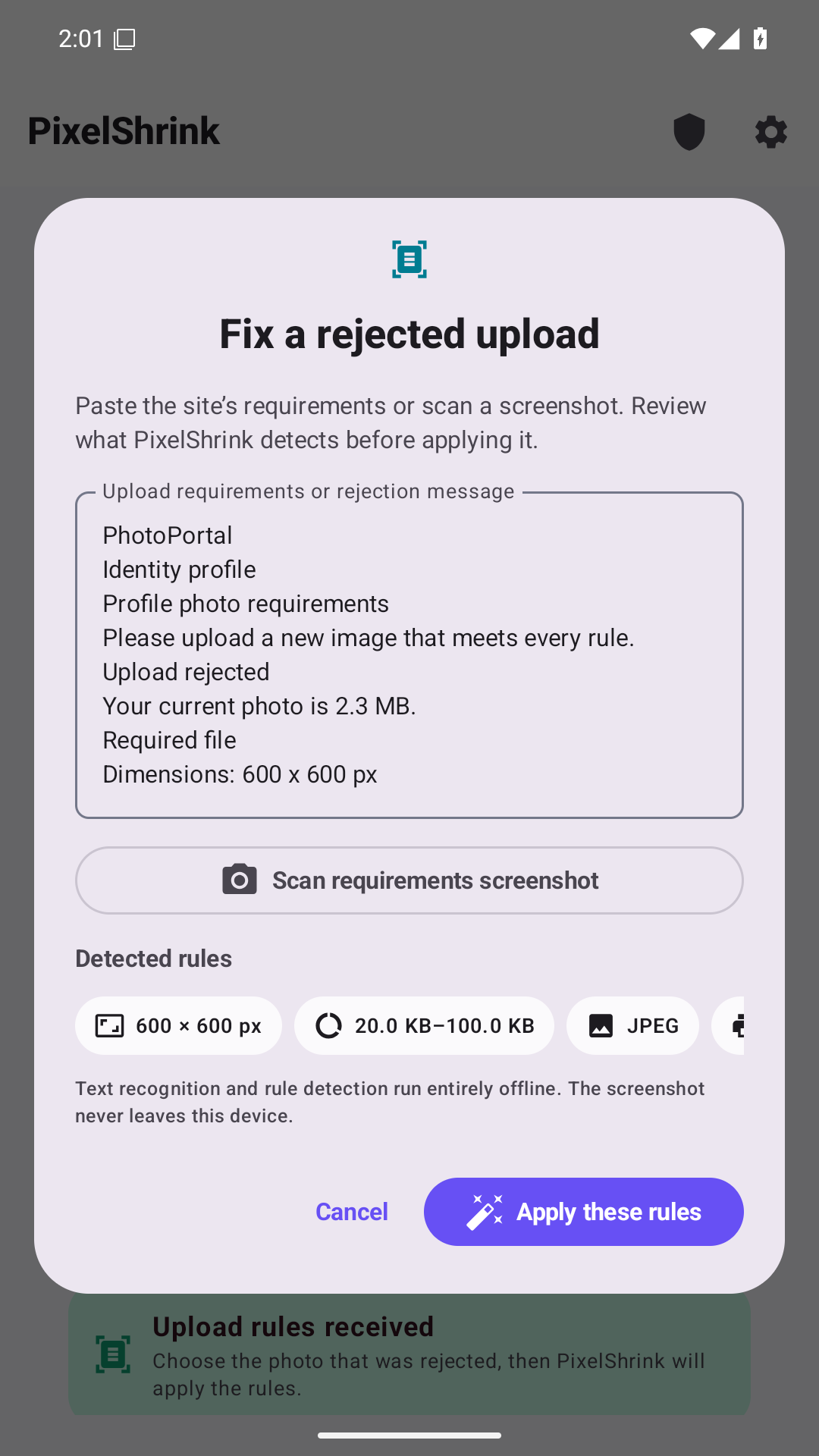
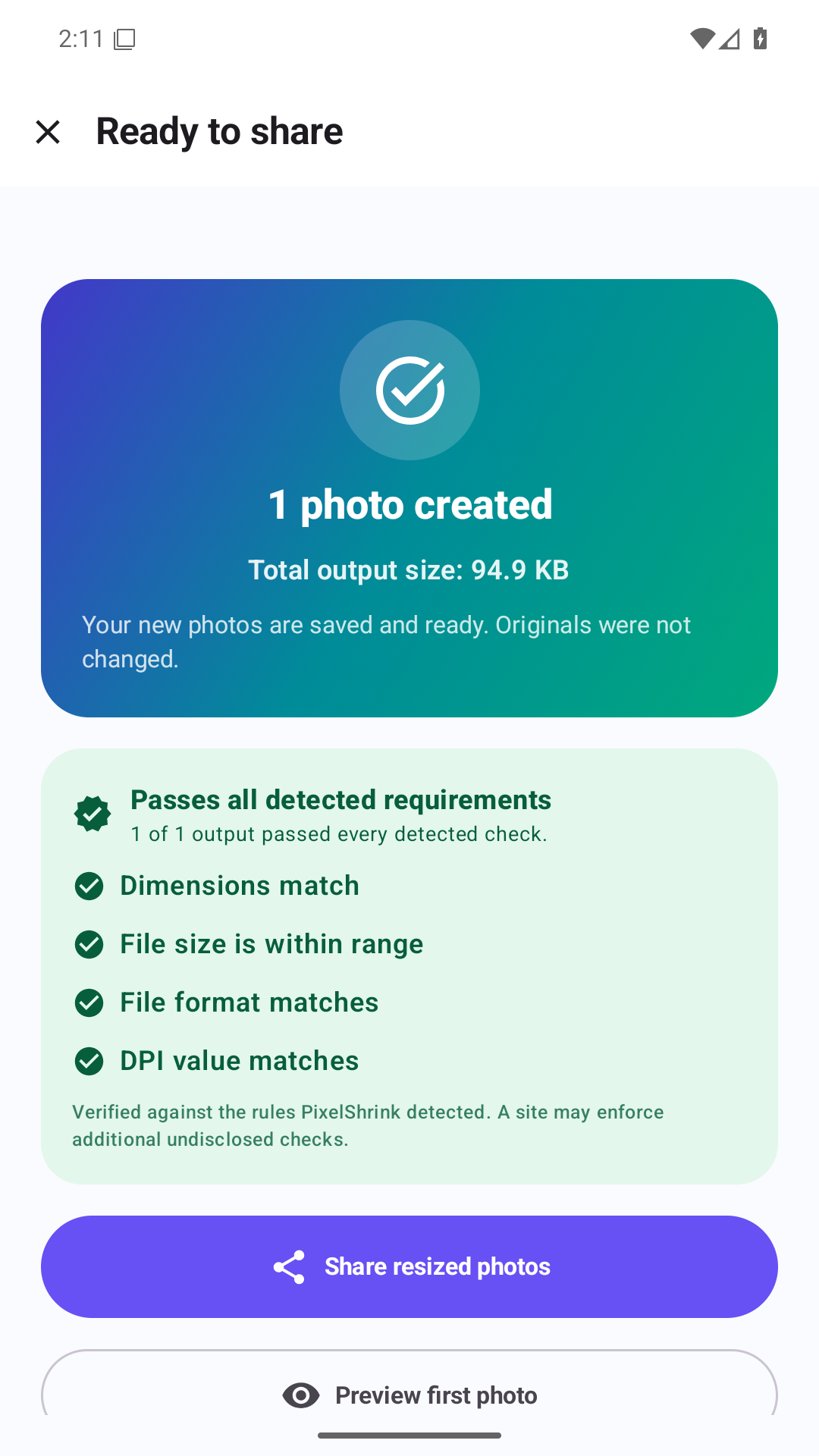
Requirement Lens
PixelShrink turns the rules a website gives you into settings you can review before anything changes.
Choose a screenshot of the upload requirements or paste the rejection text.
Confirm pixels, file-size limit, format and DPI before applying them.
PixelShrink measures the output and shows whether it passes every detected rule.
Verification covers the rules PixelShrink detects and displays. A website may enforce additional checks it does not disclose.
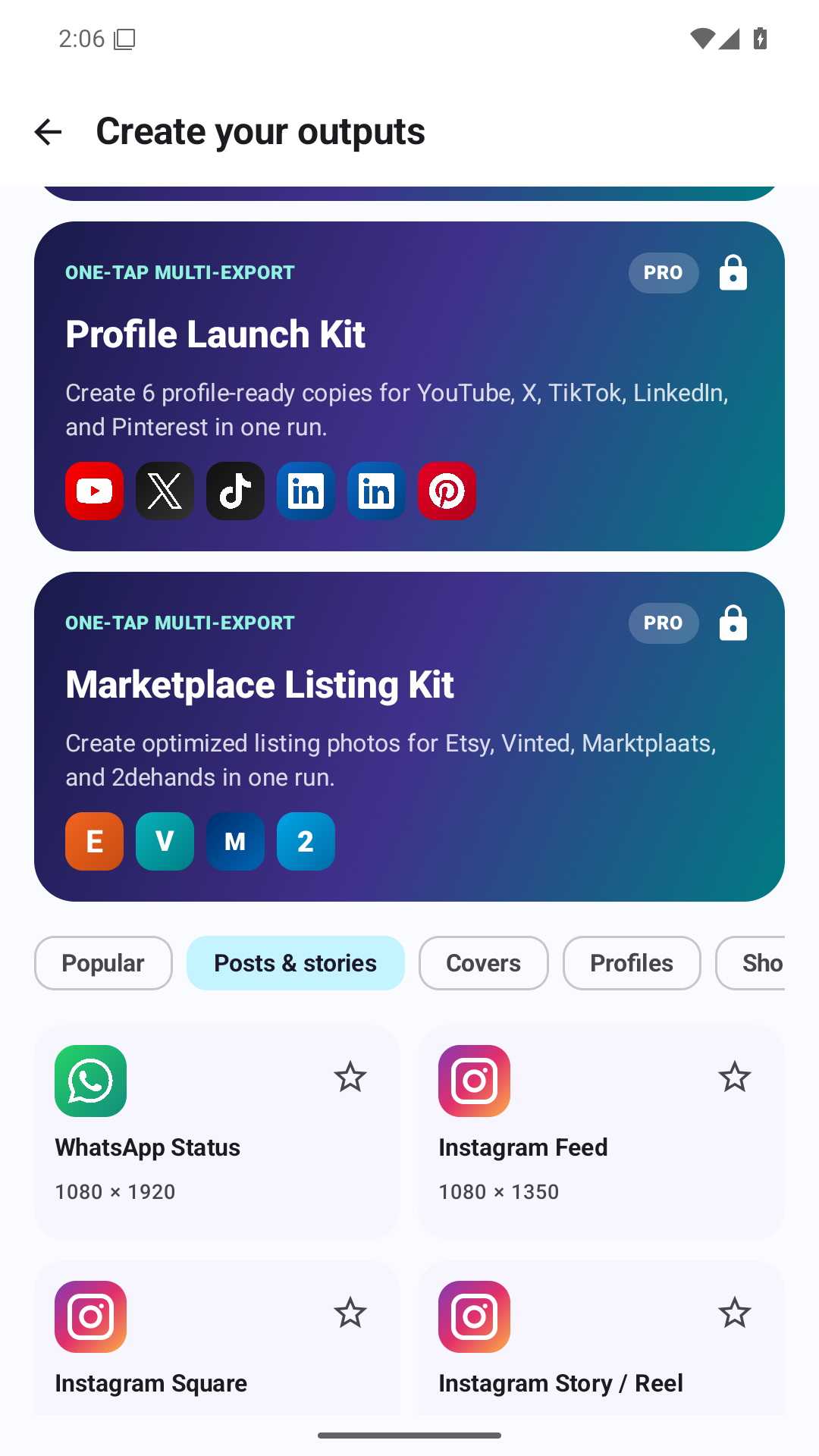
One photo. Every destination.
Use bounded compression to target a selected KB or MB maximum, then check the actual result.
Resize by width and height, percentage, long edge, crop, fit or padding.
Create posts, profiles, stories, banners, thumbnails and listings with ready-made presets.
Process several photos, follow progress, retry failures and share finished images directly.
Remove private EXIF by default, remove GPS only, or explicitly preserve photo details.
Built to finish the task
PixelShrink Pro
The free version already resizes and compresses real photos. Pro permanently unlocks faster repeat workflows.
Local price shown securely in the app. No recurring charge.
Try the free core firstUnlimited saved presetsSave your exact settings for repeat jobs.
Multi-export packsCreate several platform-ready sizes in one run.
Manual print and DPIControl professional output when you need it.
recurring paymentsPermanent unlock through Google Play
FAQ
Free core. No account. No interstitial advertising. Your originals stay untouched.
No. Image processing, Requirement Lens text recognition and optional face focus run on your Android device.
Yes. The free core completes real resizing, compression, batching, verification and sharing without interstitial ads.
Never. Every result is saved as a new file.
JPEG, PNG and WebP are supported. HEIC and HEIF work when the Android device provides a compatible codec.
No. PixelShrink Pro is a permanent one-time purchase.
It verifies the supported rules PixelShrink detects and displays. A website can still apply undisclosed checks.
PixelShrink has no developer analytics or advertising SDK. Google ML Kit may send limited app, device and performance diagnostics, but not your photos or recognized-text content.

Fix the file, not your patience
Free core. No account. No interstitial advertising. Your originals stay untouched.
Get it on Google Play Scan with your Android phone